







Stop leaving money on the table

Airlines such as Lufthansa and premium hotel groups such as Marriott manage their prices minute by minute. A seat a month before departure costs a different amount from one booked two hours before boarding. Hotels immediately adjust rates to city exhibitions or the weather forecast. They optimise revenue from every available place, because fixed prices in a business with limited capacity mean willingly giving up earnings.
Your restaurant has the same limited number of tables and opening hours. When menu prices stand still, your venue loses margin twice: during quiet periods when tables are empty, and during kitchen rushes when demand exceeds your capacity.
MenuAI adapts global revenue-management practices to restaurants. Smart systems consider actual demand, weather and kitchen workload to suggest the right price. The decision always stays with you.
Airlines didn’t invent dynamic pricing. Glovo and Uber Eats raise delivery charges in the rain and at peak times because otherwise couriers cannot keep up. Cinemas and Disney charge more for an evening ticket than a morning one to spread demand. Amazon changes product prices thousands of times a day according to stock levels. All these businesses have fixed costs and uneven demand. Restaurants share that structure: rent and kitchen wages keep accruing whether tables are occupied or not.

You never start with full automation. MenuAI is designed to earn your trust gradually, as you see results.
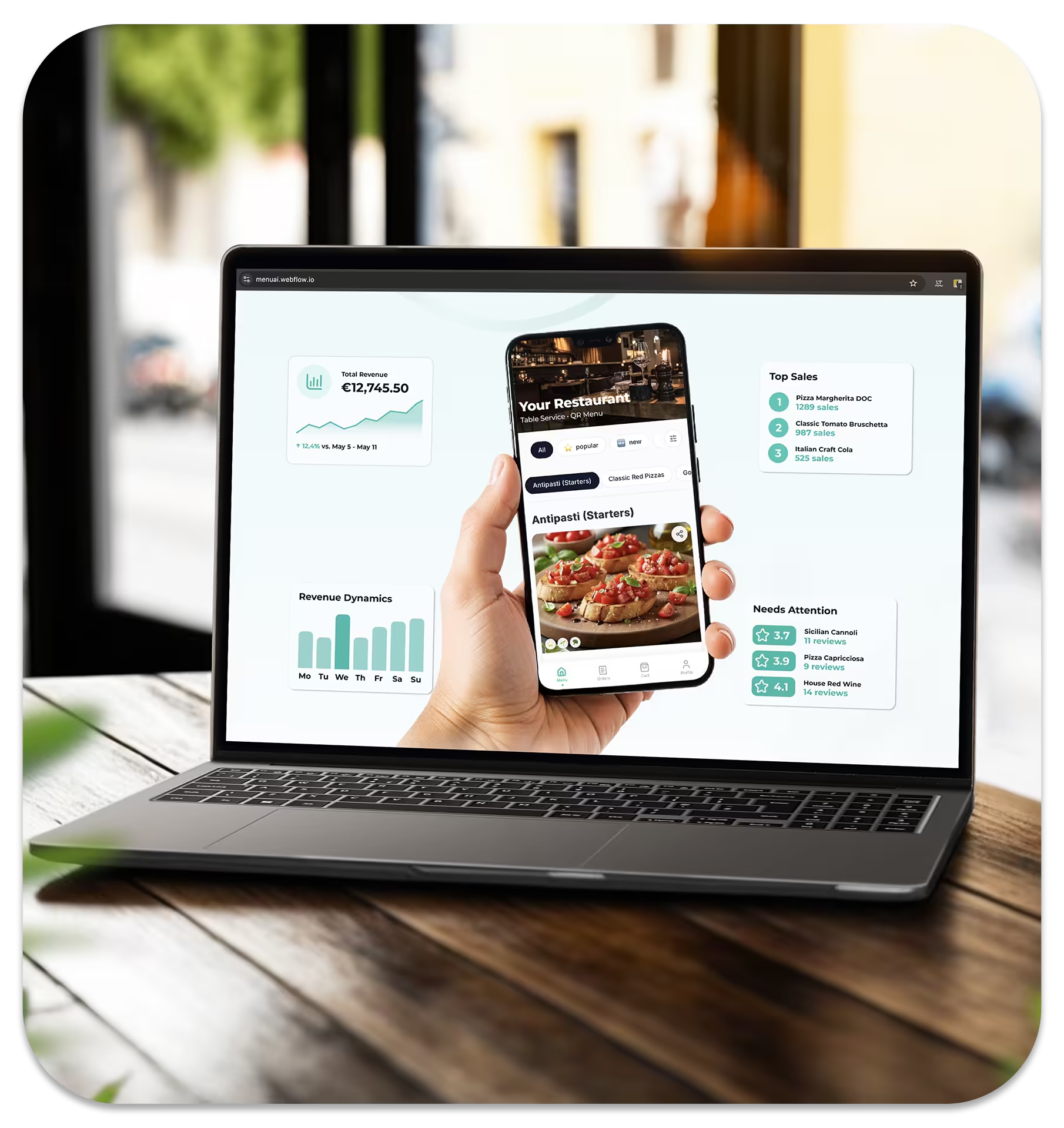
The system reviews the situation in your dining room and makes a recommendation, such as “reduce pasta prices by 10% until 17:00” or “increase steak prices by 8% because the kitchen is busy”. You see the suggestion in the admin dashboard and approve or reject it with one tap. No price changes without your action.
Once AI has learned enough about your venue, including typical traffic, guests’ responses to discounts and kitchen speed at peak times, you can allow it to apply recommendations automatically without approving each one. Only you can enable this option, and you can just as easily turn it off at any time to return to approval mode.
Even on autopilot, the system stays strictly within the range you set in advance. Automation speeds up responses; it doesn’t change your control over the limits.

The system continuously considers the time of day, day of the week, current weather and your venue’s actual workload
A restaurateur’s main concern: “I’ll wake up to find the system has doubled coffee prices and driven away my regulars”.
The design of MenuAI rules out that scenario.

Venues using automatic price management report a 12–18% increase in margins without extra marketing or purchasing costs, simply because prices finally reflect actual demand rather than the date the menu was last printed.
No. By default, MenuAI only suggests a price change and waits for your approval in the admin dashboard. No adjustment appears in the guest menu until you personally approve it.
Autopilot is an option you can enable once the system has gathered enough information about your venue: typical traffic, guests’ responses and kitchen speed. In this mode, recommendations are applied automatically without individual approval, always within your chosen range. It is optional: many venues stay in approval mode permanently.
Usually a few weeks of regular use in approval mode are enough for AI to identify your peak hours, typical responses to discounts and kitchen characteristics. You decide exactly when to move to autopilot: the system never enables it automatically.
No. Once the menu opens, prices are locked for the whole table, regardless of who orders first or an hour later. Everyone at the table sees the same locked prices until the bill is paid, avoiding differences on the bill or unnecessary questions between guests.
No. You only need to enter each dish’s base price and set two sliders: the maximum decrease and maximum increase. In approval mode, you also review each recommendation before it is applied.
Set the increase limit to 0%. The system will only reduce prices, whether you approve each change manually or use autopilot.
Yes, with one switch in the admin dashboard. Switching either way is instant and requires no additional setup.
Yes. Approved price changes, including those applied on autopilot, sync with your POS in real time, without manual work by a cashier or administrator.