
 EN
EN
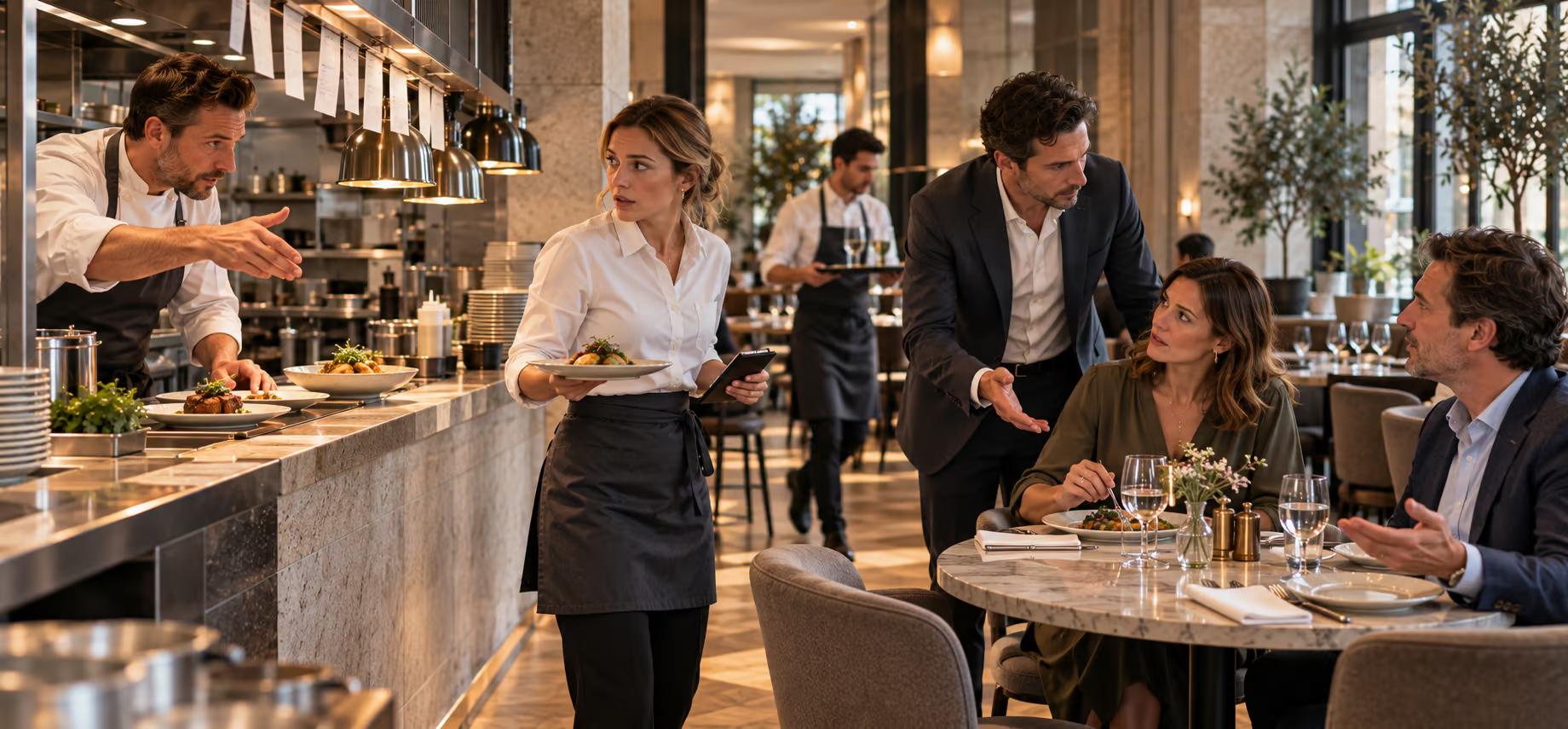
At 10:30, the chef learns that the mushroom delivery has not arrived. Two dishes need to come off today's menu. The manager sends a message, someone changes a file, and the team carries on setting tables. At 12:10, a guest orders one of those dishes from the menu on their phone.
The waiter apologises and offers an alternative. The kitchen says it warned the floor. The manager checks who read the message. Everyone has done something, yet the guest still has to choose lunch twice.
This is an illustrative working day, assembled from typical operational situations, not a customer case. Follow it through to closing: the useful question at each point is where the last correct piece of information stopped travelling. Improving restaurant operations starts with making that next step visible and giving someone responsibility for completing it.
10:30. Before opening, the menu has several versions
The missing delivery is only part of the morning's changes. A lunch price has changed, a sauce has a different recipe, and the printed specials need checking. The manager's instruction to “update the menu” does not identify all the places where yesterday's information remains.
Assign a person to approve the change and a person to check what guests and staff actually see. In a small restaurant, that can be the same manager, but the two actions still need to happen. Record the dish, the change, the time and the places checked. A message marked as read is not confirmation that the menu has changed.
| Working reference | Check before opening |
|---|---|
| Guest menu | Price, description and availability match today's offer |
| Kitchen reference | Recipe and approved substitutions are current |
| Floor briefing | Staff know the change and the available alternative |
| Till/POS | The sale uses the intended item and price |
Open the guest menu from a table's QR code rather than relying only on the editing screen. Keep a current printed alternative for guests who need it. Where systems are separate, include each in the check.
In MenuAI, the manager can edit prices and descriptions, preview the guest view and change availability manually. That replaces circulating a corrected file with a menu update a colleague can check. The waiter has a clearer reference when answering guests, and the owner can delegate the change without becoming the team's information desk.
12:10. The guest orders a dish that has sold out
The morning's unavailable dish has been corrected. During lunch, however, the kitchen serves the last portion of another special. The chef announces it at the pass. One waiter hears; another is taking an order outside.
This requires a rule that works during service, not another general reminder to communicate. Agree who marks an item unavailable, who checks the guest menu and who tells the floor. Give that person a deputy. The kitchen should also name an alternative it can actually prepare, so the waiter does not negotiate a substitution while the guest waits.
For an order already placed, someone must contact the guest and confirm their choice before preparation or any payment adjustment. Hiding the dish now does not resolve an earlier order. If the system cannot be updated, stop offering the affected item through that channel until staff can control what is being accepted.
Manual availability control in MenuAI gives that announcement a visible result in the guest menu. The manager checks the change, the floor confirms it and any separate till is checked too. Staff can then guide guests towards what the kitchen can serve instead of repeatedly correcting their choices. That confidence matters even without a reliable cash value for each avoided awkward conversation.
13:05. An allergy question becomes a vague kitchen message
A guest asks about nuts in the sauce. The waiter remembers the old recipe and writes “without nuts”. The kitchen is using a replacement product today. Removing a garnish may leave the question about the sauce and cross-contact entirely unanswered.
Treat an allergy disclosure separately from an ordinary preference. A trained employee should establish the ingredient concerned, check the current recipe and supplier information with the kitchen, and explain what the restaurant can and cannot accommodate. If safe preparation cannot be established, do not promise the dish is suitable.
Before confirming the order, ask:
- Have we checked today's ingredients, including sauces and substitutions?
- Has the kitchen assessed preparation and cross-contact risks?
- Who will give the guest the confirmed answer and identify the order at service?
In the EU, allergen information is required for non-prepacked food. National rules also matter. These checks are an operating recommendation, not a complete compliance procedure.
MenuAI's dish entries provide a place for allergen information and options approved by the restaurant. Guests can read them before asking, and staff can refer to the same dish instead of relying on memory. A filter or translation does not confirm safe preparation: the kitchen check and a clear answer to the guest remain essential.
14:30. There is an order, but nobody knows its status
The waiter can see that an order was submitted. The guest wants to know whether it is being prepared. At the pass, the kitchen asks which version includes the changed side dish. The manager becomes the messenger again.
Agree a short set of working states, such as received, accepted, preparing, ready and served, with a clear exception for a problem. Match these stages to the working states used in your system. Name who changes each state and what that change means. “Received” must not quietly mean “the kitchen has accepted it”.
Keep the dish, table, options and agreed changes together under the same order reference. If something changes after acceptance, require acknowledgement from the person preparing it. At the pass, a ready dish still needs someone responsible for getting it to the correct guest.
MenuAI's order record brings together the table, items, comments and current status. Staff can check the recorded request rather than reconstruct it through another conversation. That gives the waiter a basis for answering the guest while the kitchen keeps working. Agree the receiving workspace and any kitchen/POS connection during setup. Retain a fallback for failed connections and check for an existing order before re-entering it.
19:15. A digital menu helps one guest and obstructs another
At dinner, one guest wants to read descriptions in a familiar language. Their companion wants a recommendation from the waiter. A third person's phone battery is flat. Sending all three back to a QR code makes the interface an obstacle to hospitality.
Offer the menu as a choice. Explain what guests can do on their phones and let them ask a person instead. Give staff a current alternative and a clear way to take the order. If a guest has already selected items digitally, establish whether those items were actually submitted before taking the order again.
For a multilingual menu, check a complete dish in the languages the restaurant uses: description, options, availability and allergen information. An untranslated option can undo the usefulness of an otherwise readable page. Translation also needs review when a recipe changes.
With MenuAI's multilingual web menu, guests can read descriptions and options in an available language before asking for advice. The waiter can focus on helping them choose rather than translating each line. Personal service remains an equal option; where a waiter-call function is configured, assign someone to receive it. The benefit is a choice of service that accommodates different guests at the same table.
21:30. A good dinner ends with an awkward payment
The table is ready to leave. One guest needs to go first, another asks to split the bill, and the terminal is in another section. The team starts discussing payment rules at the moment the guests need an answer.
Decide those rules before service: which splits are supported, who checks outstanding amounts and how corrections or refunds are handled. For an illustrative €84 bill, payments of €30 and €54 settle the total. An amount split is different from allocating individual dishes, and neither should be promised without knowing the supported process.
MenuAI describes mobile and split-payment scenarios, subject to the connected provider, country and configuration. Establish the available flow before presenting it as an option. Staff must distinguish a confirmed payment from a guest's attempt to pay. When a payment result is unclear, check its status before requesting another attempt through an alternative method.
Where mobile payment is connected, it gives guests another way to settle the bill alongside staff-assisted payment. They can choose the supported option that suits them, while staff explain what has been paid and what remains. A clear ending to the visit has value beyond the seconds spent at checkout.
23:00. Sales are recorded; the recurring problem is not
The manager closes the shift. The sales total looks ordinary. The unavailable dish, the uncertain order and the payment confusion survive only as fragments of conversation. Tomorrow's team inherits the same weak points.
Add a brief incident review to closing. Record what happened, where information stopped, the immediate response, an owner for the correction and when to check it. For example: “The last special was sold; the guest menu stayed available; tomorrow the duty manager checks the update after the kitchen's signal.” Avoid unnecessary guest details and blame written in place of a cause.
MenuAI gives the restaurant access to sales information and feedback left after an order. Instead of letting a complaint disappear in conversation, the manager can review it alongside the order and ask the team what happened. The data does not diagnose the cause; it gives the next shift something concrete to follow up.
Use the MenuAI ROI Calculator for financial assumptions you can model. Alongside it, observe whether staff can explain a change, find an order and resolve a guest's question without repeatedly calling the manager.
Where MenuAI fits into a better working day
A QR menu and a spreadsheet can each work well. The gap appears when someone still has to copy changes between them, match a guest's request to an order and find out who dealt with it. Moving those documents online leaves that coordination work with the team.
MenuAI combines an editable digital menu, multilingual content, dish options and order records with statuses within one platform. The manager can change the offer and check the guest view; guests can choose with clearer information; staff can consult the order rather than retell it. Sales information and feedback then give the manager material for reviewing service. Kitchen/POS links and payments depend on the agreed configuration.
That is a reason to consider MenuAI when separate tools keep sending routine questions back to the owner. Assess one complete process: update a dish, choose an option, follow the order to its receiving workspace and review a problem afterwards. Look for a clearer next action for each person, including who handles an exception.
Tomorrow's restaurant operations checklist
Use these questions at opening, during service and at closing:
- Can we identify who updates the menu and who checks the guest view?
- Does the last-portion signal reach the menu, floor and till?
- Can staff confirm today's ingredients and escalate an allergy question?
- Is an order change visible to the person preparing it?
- Can a guest choose personal service without repeating an order?
- Do staff know the supported payment options and how to handle an unclear result?
- Does a recurring incident have an owner and a next-shift check?
Choose one failing handover and observe it over the next three comparable services. Record whether the agreed step happened and whether the same problem returned. This is a starting observation period, not proof of financial return. Review it with the team before changing another process.
Explore MenuAI's restaurant solutions to see how menu changes, guest choice and order handling could fit your working day. Start with the handover you identified: which steps could the platform support, and who would own the next action?
Frequently asked questions
How do I tell whether the problem is organisation or understaffing?
Follow a specific incident. If staff had conflicting information or nobody owned the next step, adding a person may leave the failure intact. If information is clear but the kitchen cannot prepare the accepted workload, capacity also needs attention. Both can occur in one service; observe them separately before changing staffing or systems.
Who should control dish availability?
The kitchen confirms what can be prepared; an assigned employee updates the selling channels and checks the result. Define cover for breaks and shift changes. The role can vary with restaurant size, but someone must close the loop instead of assuming the announcement reached everyone.
Is a QR menu useful without POS integration?
Yes. Guests can read descriptions and options in a digital menu, while staff update prices and availability without replacing a PDF. A separate till still needs its own updates and checks. Assess that benefit on its own; automatic agreement between systems requires the appropriate connection.
Does digital ordering replace the waiter?
It can provide another way to choose and submit a request. Someone still welcomes guests, answers questions, confirms exceptions and serves the meal. Keep a staff-assisted route, and make responsibility for digital orders as clear as responsibility for orders taken in person.
What should we measure before buying a system?
Start with one defined event, such as an unavailable dish ordered, a modification needing clarification or an uncertain payment result. Record the context and the handling step. Use that baseline to judge a pilot alongside staff and guest observations; do not mistake a small count for proof of causality or a complete ROI.